
Razer Basilisk V3 Pro review: great sensor, too heavy
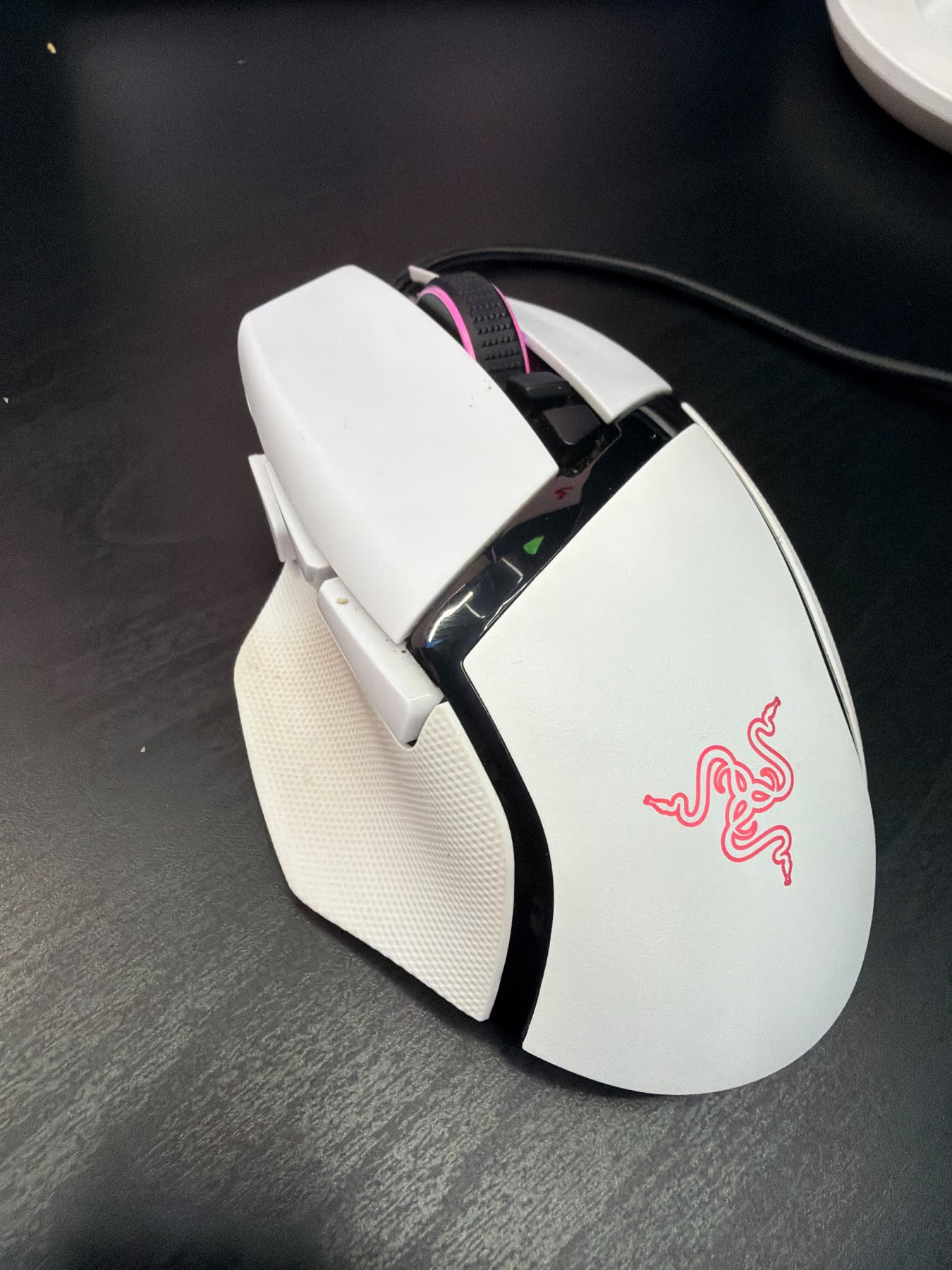
This is my white Razer Basilisk V3 Pro, the wireless one with the Focus Pro sensor and that free-spin scroll wheel. It's a right-handed palm mouse with extra buttons and three ways to connect. I like using it, but it's heavy, Synapse is a pain, and it costs flagship money.
What it is
The Basilisk V3 Pro is Razer's big wireless ergonomic mouse. Right hand only. It's aimed at people who palm grip, want extra buttons, and still want a cable when the battery runs low. You get 2.4 GHz, Bluetooth, and USB-C in the same body.
It sits in the premium price class. It launched around $160. You're paying for the Focus Pro sensor, the HyperScroll wheel, optical switches, and Chroma. A light shell is not part of the deal.
On my desk
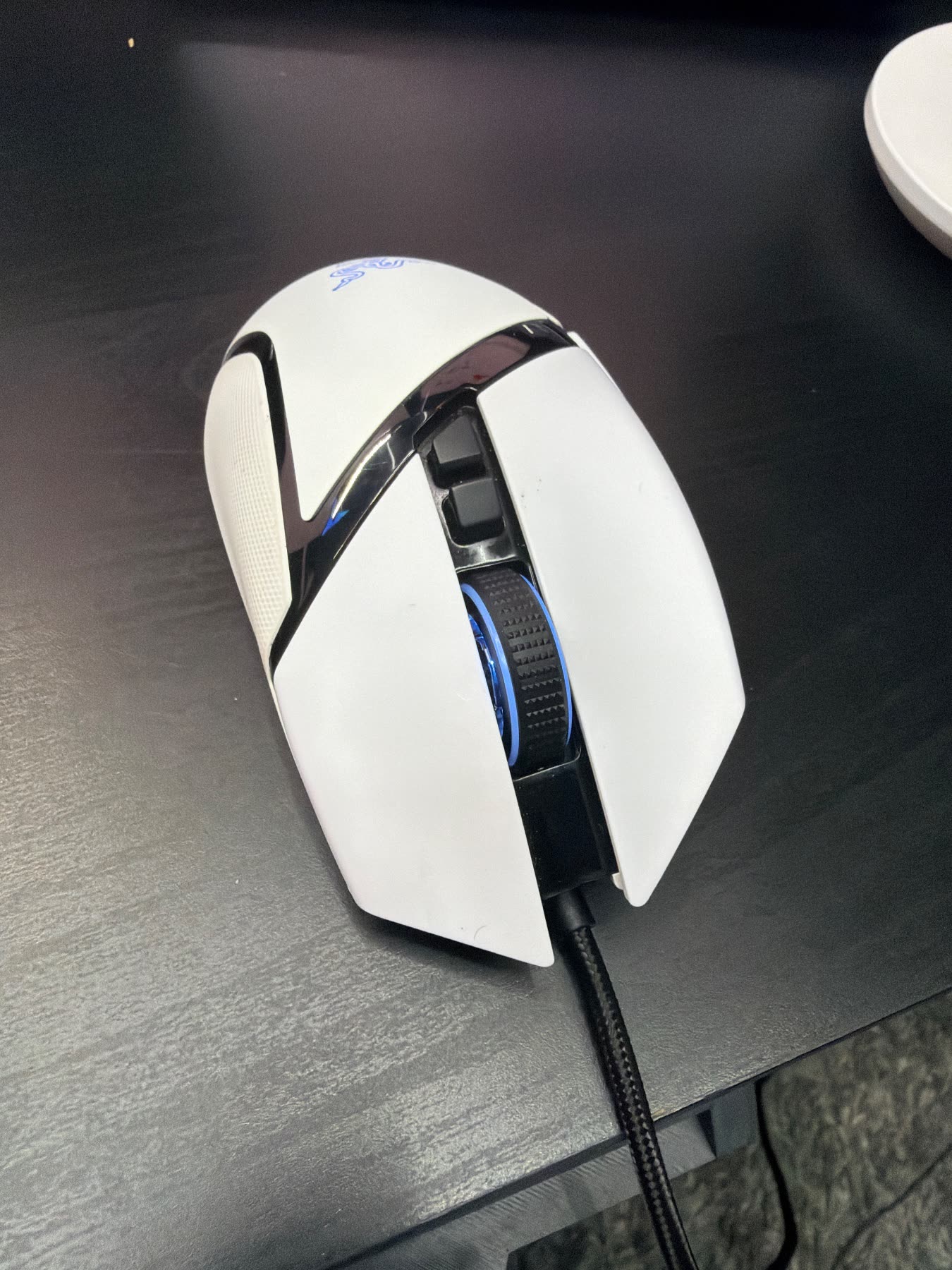
Mine lives on a dark desk with the braided cable plugged into the front. Chroma is on. The logo and wheel are pink in one photo and blue in the other. A tablet sits behind it with the screen on, and there's a white round thing at the corner. Plain setup. This is just the mouse I use.
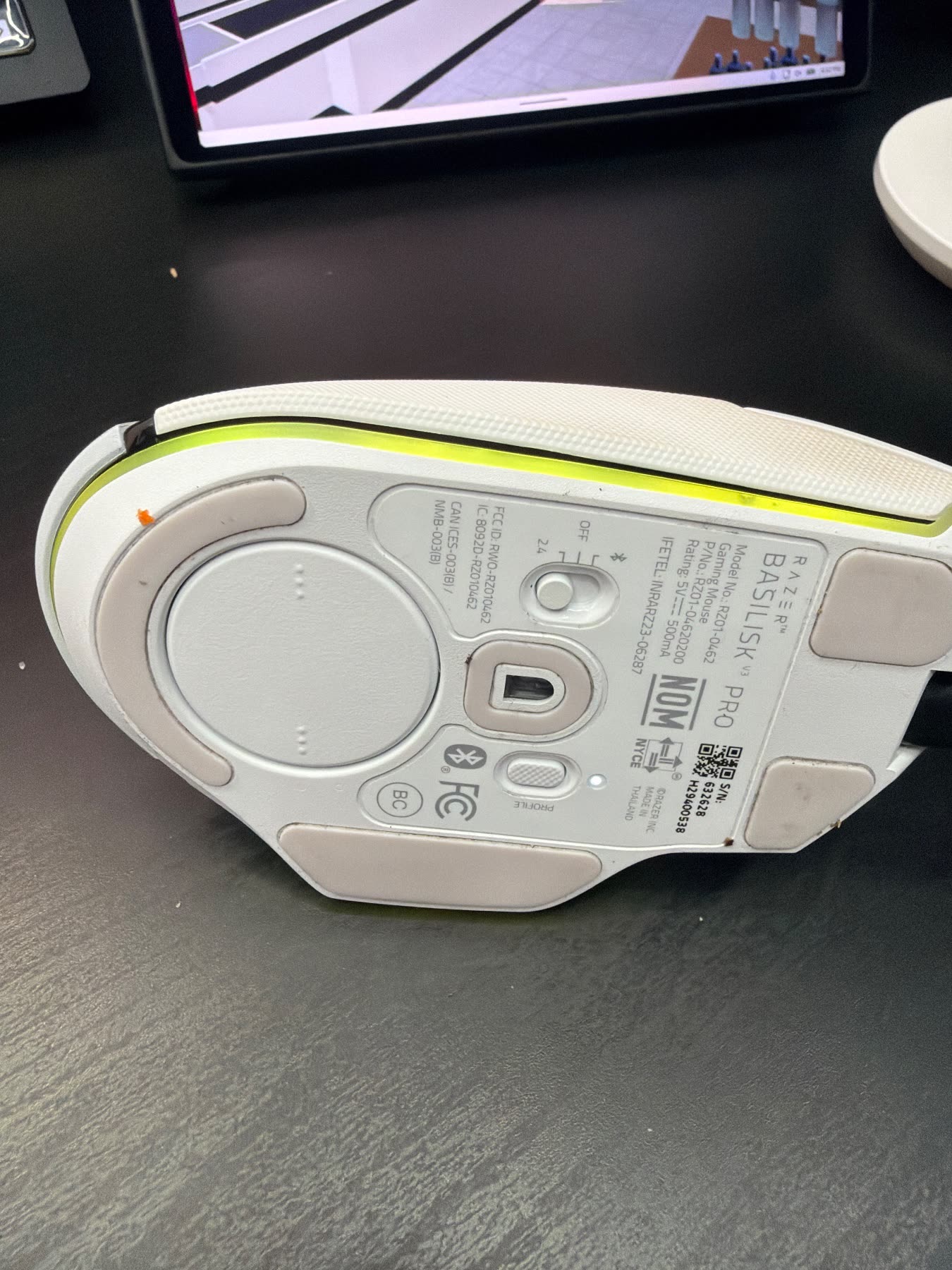
The top shell still looks clean. The bottom gives it away. Dust sits in the skate grooves, and a little orange grime is stuck by the front foot. The mode switch is right there, 2.4, off, or Bluetooth, plus the profile button. Used, not babied.
Where it shines
The Focus Pro 30K is the easy win. Tracking stays clean. The optical main clicks feel sharp, without the mush on some older Razer mice.
The HyperScroll wheel is the feature I actually use. Notched when I want steps, free-spin when I'm moving through a long page. Three connections matter on a real desk too. Dongle at the PC, Bluetooth for a laptop, cable when I don't want to think about charge. The shape suits a palm grip, and the textured thumb rest stays put.
What bugs me
It's heavy. Razer lists it at 112 grams. Next to the light wireless mice out now, flicks feel slower, and a long session reminds you it's there. If you want a light competitive mouse, this isn't it.
Synapse is the other tax. Mapping, lighting, and the scroll modes live in software that wants an account and gets in the way. RGB looks fine, you can see it on mine, but it drinks battery. White shows dirt, and the feet already prove that. Right hand only, so lefties are out. The price is hard to love unless you specifically want this shape and this wheel.
Who it's for
Get it if: Right-handed palm grippers who want extra buttons, a useful scroll wheel, and can live with a heavier mouse.
Skip it if: People who want a light competitive mouse, and anyone who needs a left-handed shape.
More photos
Questions people ask
Can I use it wired?
Yes. The braided cable is plugged into mine in these photos, USB-C in the front. You can also run 2.4 GHz or Bluetooth from the switch on the bottom.
Do I need Synapse?
It works as a mouse without it. Button mapping, Chroma, and the scroll modes need Synapse, and that's the annoying part.
Bottom line
A comfortable flagship with a strong sensor and a scroll wheel I actually use, held back by weight, software, and price.
Check price on Amazon As an Amazon Associate I earn from qualifying purchases.